
Download Skifta – Media Streaming, Wi-Fi Sharing, Cloud Access
Overview
Skifta is a mobile application designed to simplify the way users access and enjoy multimedia content across devices. The app enables seamless streaming of movies, photos, and YouTube videos from a personal computer directly to a mobile device, provided both are connected to the same Wi-Fi network. This functionality addresses the common challenge of transferring large media files via physical means such as USB drives, offering a more efficient and convenient alternative. By eliminating the need for manual file copying, Skifta streamlines media consumption, particularly for users who frequently move between devices.
The app serves a broad audience, including home users, digital content creators, and individuals who manage large media libraries. It is especially useful for families sharing vacation photos or professionals who need to present visual content on the go. Skifta’s cloud sharing capability extends accessibility beyond the local network, allowing users to retrieve their files from remote locations, which enhances flexibility for travelers or remote workers. While the developer did not provide additional background information, the app’s longevity since its release on December 4, 2013, suggests a stable and enduring presence in the media-sharing space.
Within the mobile app ecosystem, Skifta fills a niche for lightweight, network-based media streaming tools. Its focus on simplicity and direct device-to-device transfer makes it a practical utility for users seeking a no-frills solution to media access. The app’s ability to support various file types and integrate with existing digital workflows positions it as a valuable tool for enhancing productivity and entertainment on smartphones and tablets.
Key Features & Functionality
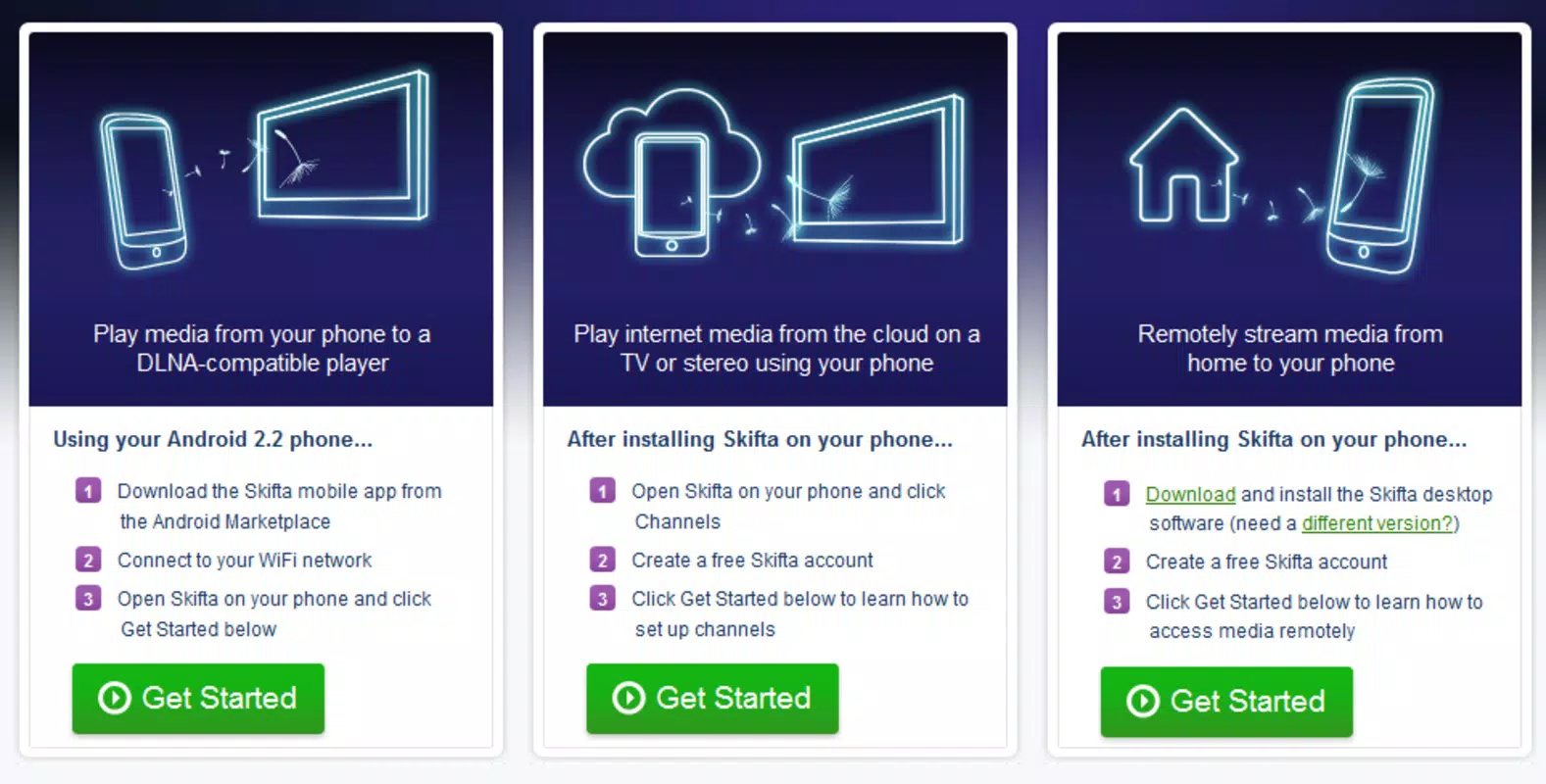
- Media Streaming from PC: Skifta allows users to stream any multimedia content stored on their computer—such as movies, photo albums, and YouTube videos—directly to their mobile device. This feature enables real-time playback without prior downloads, ideal for users who want instant access to their media library.
- Local Wi-Fi Connectivity: The app operates exclusively over a local Wi-Fi network, ensuring fast and secure transfers between devices. Users can connect their PC and mobile device with minimal setup, making it accessible even for those with limited technical experience.
- Cloud Sharing Integration: Skifta’s cloud sharing functionality enables users to access their media files from any location, not just when connected to their home network. This feature is particularly beneficial for individuals who travel frequently or work remotely, as it maintains continuity in media access.
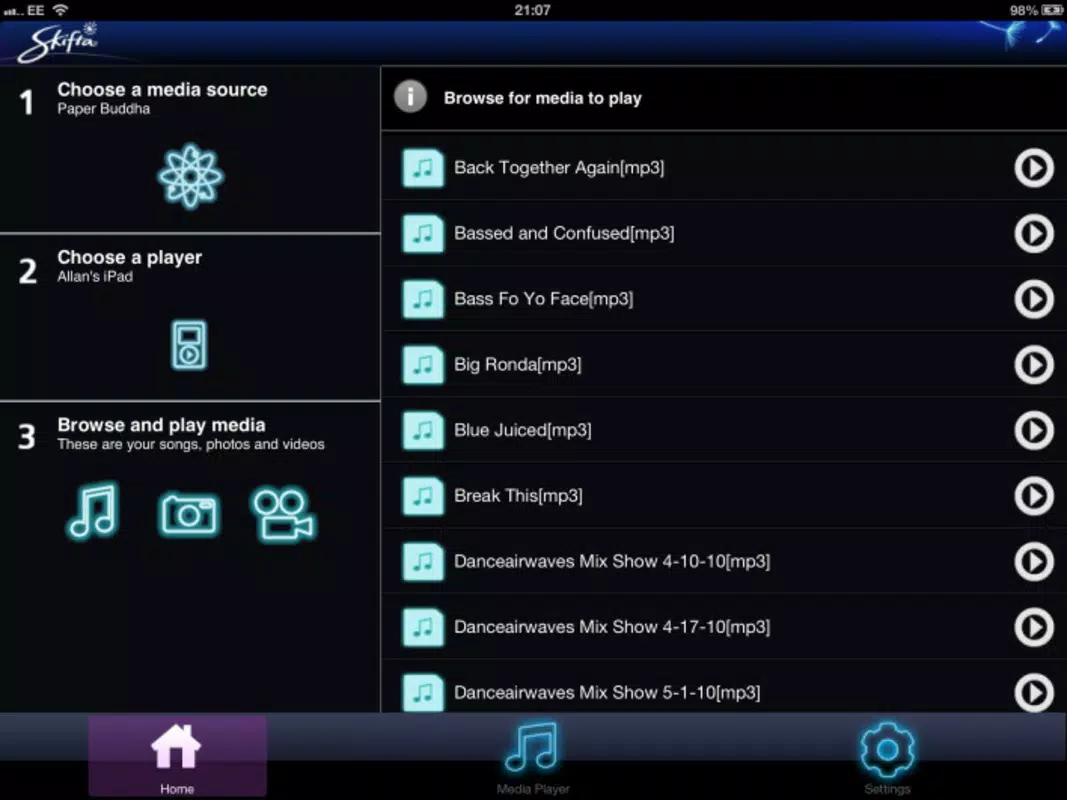
- User-Friendly Interface: The app features an intuitive layout that simplifies navigation between different media types. Users can browse folders, select content, and initiate streaming with just a few taps, reducing the learning curve for new users.
- Elimination of USB Transfers: By enabling direct streaming, Skifta removes the need for physical storage devices like USB drives. This reduces clutter, prevents data loss from lost or damaged drives, and speeds up the process of accessing media.
For example, a user can start watching a movie on their laptop, pause it, and continue on their phone while walking to the train station—without re-downloading or transferring the file. Similarly, a traveler can view family photos stored on their home PC from a hotel room using the cloud feature, enhancing personal connectivity across distances.
Interface, UX & Performance
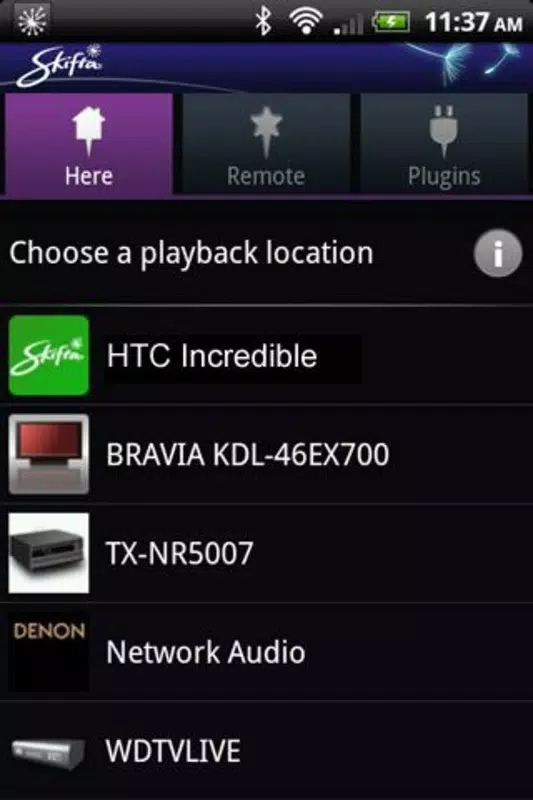
Skifta presents a clean, minimalist interface that prioritizes functionality over visual complexity. The layout is structured around easy navigation, with clearly labeled sections for different media types such as videos, photos, and online content. Users can browse their PC’s file system directly from the mobile app, making it simple to locate and play specific files.
Navigation is intuitive, relying on standard touch gestures such as tapping and swiping. The app maintains consistent visual cues and responsive feedback, which contributes to a smooth user experience. Although the developer did not list formal performance metrics, the app appears optimized for standard mobile devices, ensuring stable playback and minimal lag during streaming.
Performance is likely consistent across mid-range and high-end smartphones, given the app’s reliance on local network speeds rather than heavy processing. Responsiveness is expected to be strong when both devices are on a stable Wi-Fi connection. Stability during extended use has not been publicly documented, but the app’s long-standing presence suggests reliable operation over time.
Platform Compatibility & Technical Requirements
Skifta is available for Android and iOS platforms, allowing users to stream content across a wide range of devices. The app supports the latest versions of both operating systems, though specific compatibility details were not listed. The file size of the application is approximately 12.5 MB, making it a lightweight download suitable for devices with limited storage.
Users are required to have both their PC and mobile device connected to the same Wi-Fi network for optimal functionality. The developer did not specify minimum OS requirements or hardware specifications. Compatibility information was not fully disclosed, so users should ensure their devices meet general system standards for modern mobile operating systems.
Pros and Cons
Pros
- Effortless media streaming from PC to mobile device
- Operates over local Wi-Fi without requiring complex setup
- Cloud sharing enables remote access to personal files
- Intuitive interface suitable for users of all skill levels
- Eliminates dependency on USB drives for file transfer
Cons
- Specific technical requirements were not provided
- Performance details on older devices were not disclosed
- Cloud sharing functionality may depend on third-party services not specified
- Limited information on update frequency or future development
- Compatibility with certain network configurations was not confirmed
FAQ
Is Skifta free to download and use?
Yes, Skifta is available for free on both Android and iOS platforms. However, certain advanced features may require in-app purchases or subscriptions, though these were not detailed in the provided information.
Can I use Skifta without a Wi-Fi connection?
Skifta requires both the PC and mobile device to be on the same Wi-Fi network for streaming. While the cloud sharing feature allows remote access, it still depends on an active internet connection for file retrieval.
Does Skifta support YouTube videos?
Yes, Skifta enables streaming of YouTube videos directly from the PC to the mobile device, provided the video is already loaded or accessible on the computer.
Is Skifta safe to use?
Skifta operates over secure local networks and does not require users to share personal data publicly. However, the developer did not provide details on data encryption or privacy policies, so users should exercise caution when accessing sensitive files.
How often is Skifta updated?
The update frequency was not specified by the developer. Users are advised to check their app store regularly for the latest version to ensure compatibility and security.
Final Thoughts
Skifta stands out as a reliable, no-frills tool for users who value seamless media access across devices. Its core strength lies in simplifying the transfer and streaming of multimedia content, removing the need for physical storage and complex file management. The app’s cloud sharing feature adds a layer of flexibility, making it a practical solution for both home and remote use.
While technical details such as OS requirements and performance benchmarks are not fully disclosed, the app’s long-standing presence and straightforward functionality suggest a dependable experience. It is particularly beneficial for families, content creators, and professionals who frequently switch between devices.
For anyone seeking a secure, efficient way to stream media from their PC to their smartphone or tablet, Skifta delivers real-world utility without unnecessary complexity. Download Skifta now.


